Hey!
We’re finally there. After hundreds of hours of work, I believe SkEditor 3.0 is ready for its first pre-release. In this blog post, I’ll try to talk about pretty much everything related to this release, but there will also be a lot of talk about what’s coming next.
My plans were different
I didn’t work on the current SkEditor for some time. That’s because I didn’t think it was feasible, because it was too late to fix this mess.
I wanted to do a full rewrite, like 2.0 was to the SkEditor+ (without framework change, of course). Luckily, I resisted that urge and refactored SkEditor instead.
Still, almost all the code in SkEditor was refactored in some way or another. That’s also why the first few pre-releases will lack some of the features from SkEditor 2.0: they are just missing and awaiting the new implementation.
Changes
Okay, let’s finally talk about the changes.
New UI
There wasn’t a complete UI redesign, but with everything I refactored, I tried to make it look better. The most visible change is the new welcome page, which looks much better while being more functional - because now it features a “Recent” section!
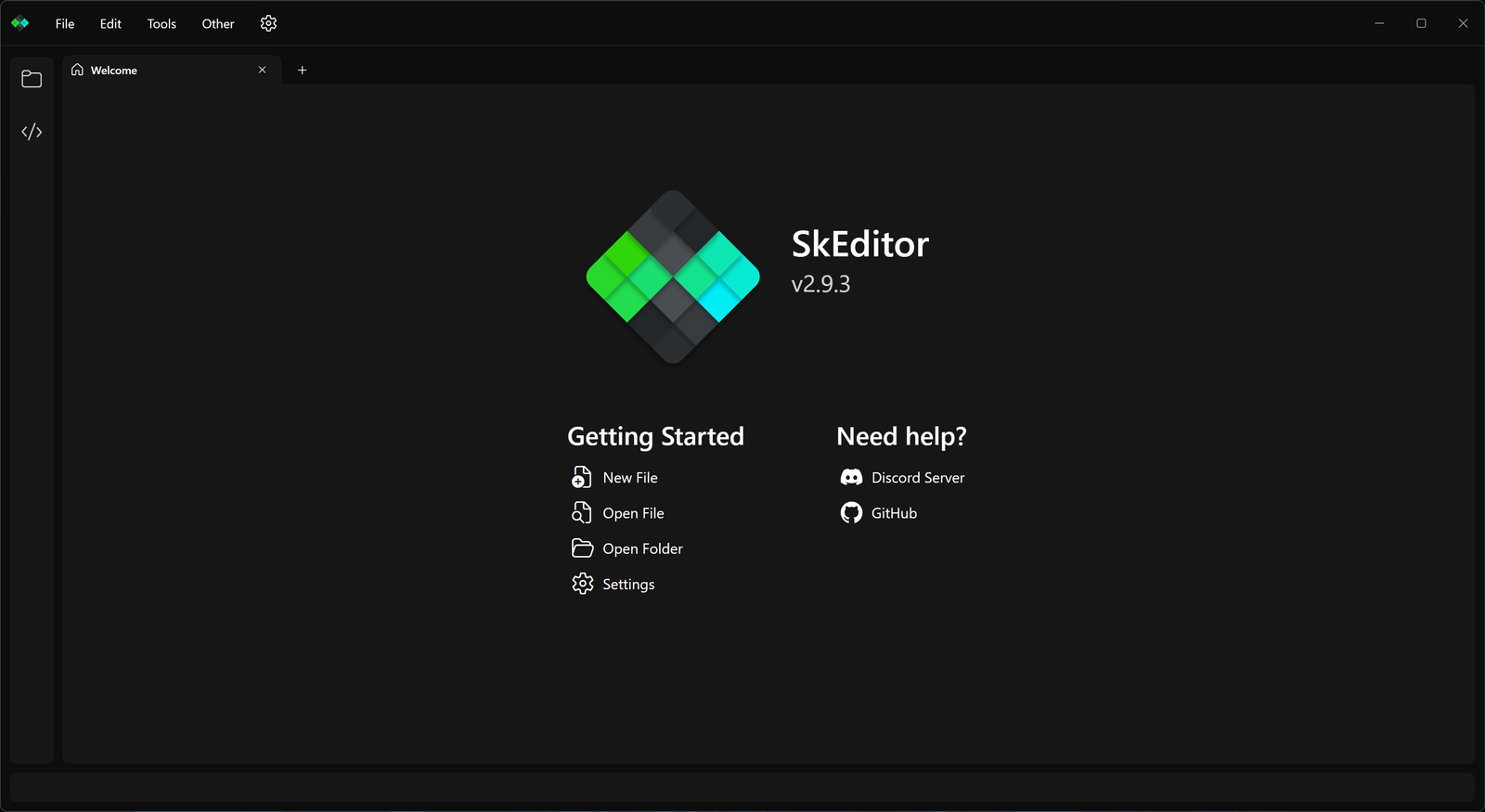
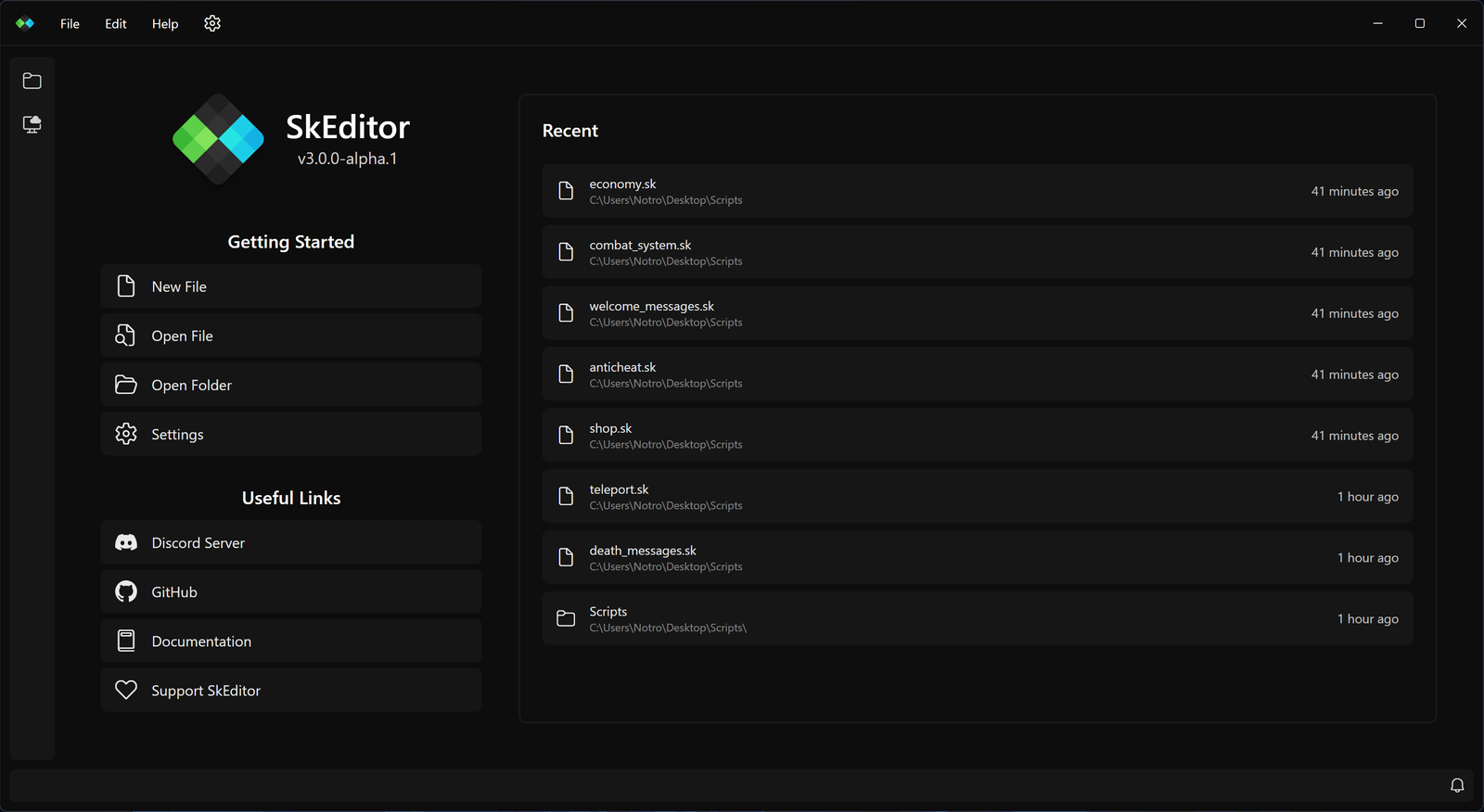
As you can see, there’s also a new SkEditor logo! You’ve maybe even already seen it before, because I changed it a while ago for the Discord Rich Presence, the Discord bot, and the GitHub organization. The new logo is much more modern and minimalistic, but it still has the same vibe as the old one, so I hope you like it!
A lot of small changes were made too. For example, you might notice that pretty much every scrollbar in the app is smooth now, even the editor one (but this one can be toggled in the settings).
New Settings
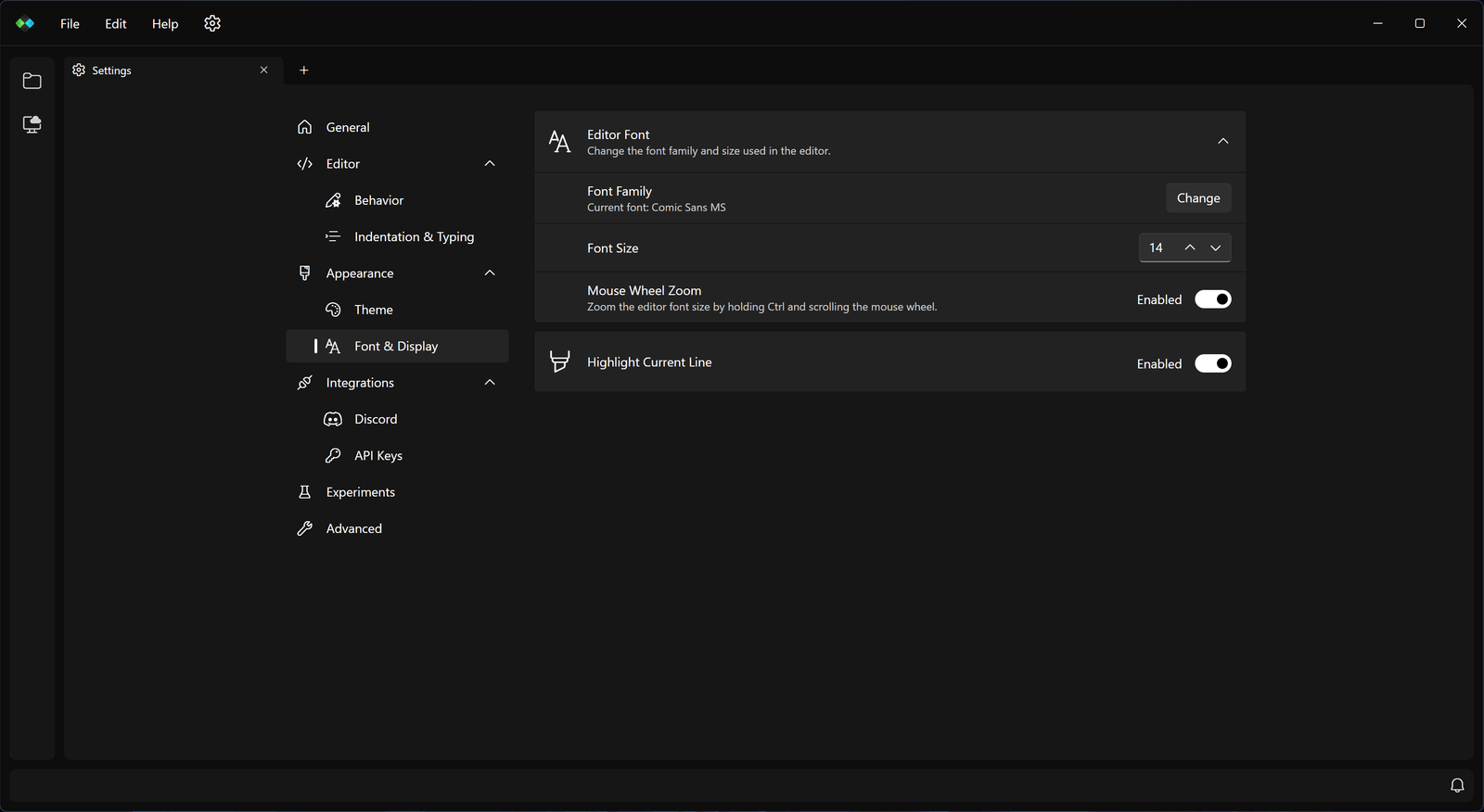
The settings were completely rewritten, from both the code and UI perspective.
They are now in the form of an integrated settings tab instead of a separate window, which makes them much easier to navigate and use. They are also much less cluttered; the old General section had 13 settings, while the new one has only… two! The rest of the settings were moved to their own tabs, which makes them much easier to find.
From the developer perspective… I love the new system. Every setting is now defined in the code in such a simple way, and it’s very customizable.
Notification System
SkEditor lacked a proper notification system. Every error, every warning, every piece of information needed to display a full, intrusive dialog.
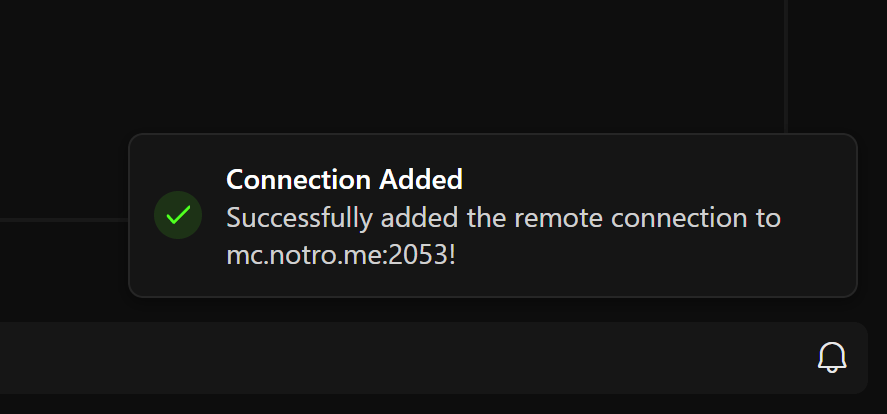
That’s no longer the case. SkEditor now has toast notifications, which pop up in the bottom right corner of the screen.
They don’t require user attention, and are dismissed automatically after a set period of time. If you miss something, you can always click the bell in the status bar to display the notification history.
New Dialogs
While notifications are cool, the dialogs aren’t useless!
That’s why they have new, really nice appearance and a great API. They can also have custom elements, like text boxes, so they can be used instead of full window dialogs!
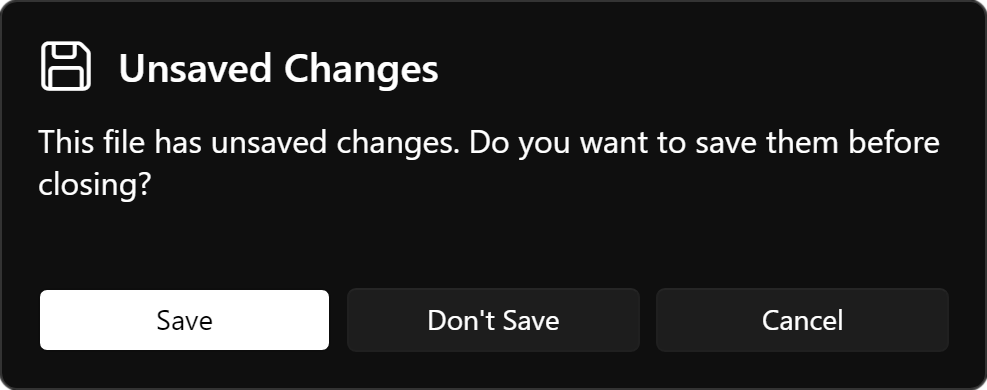
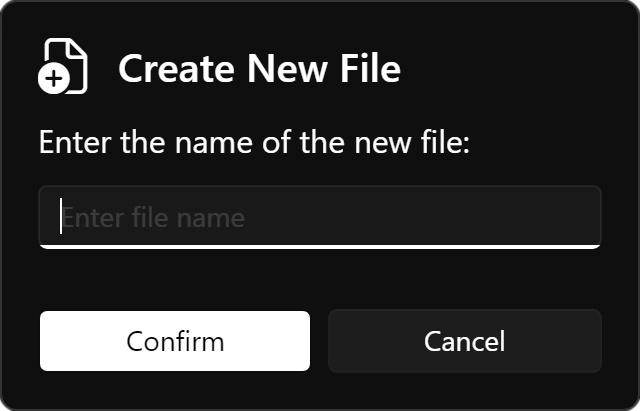
The New Explorer and SFTP Support
As I said in one of the previous posts, the folder management system was completely rewritten. It’s also unified between local and remote folders.
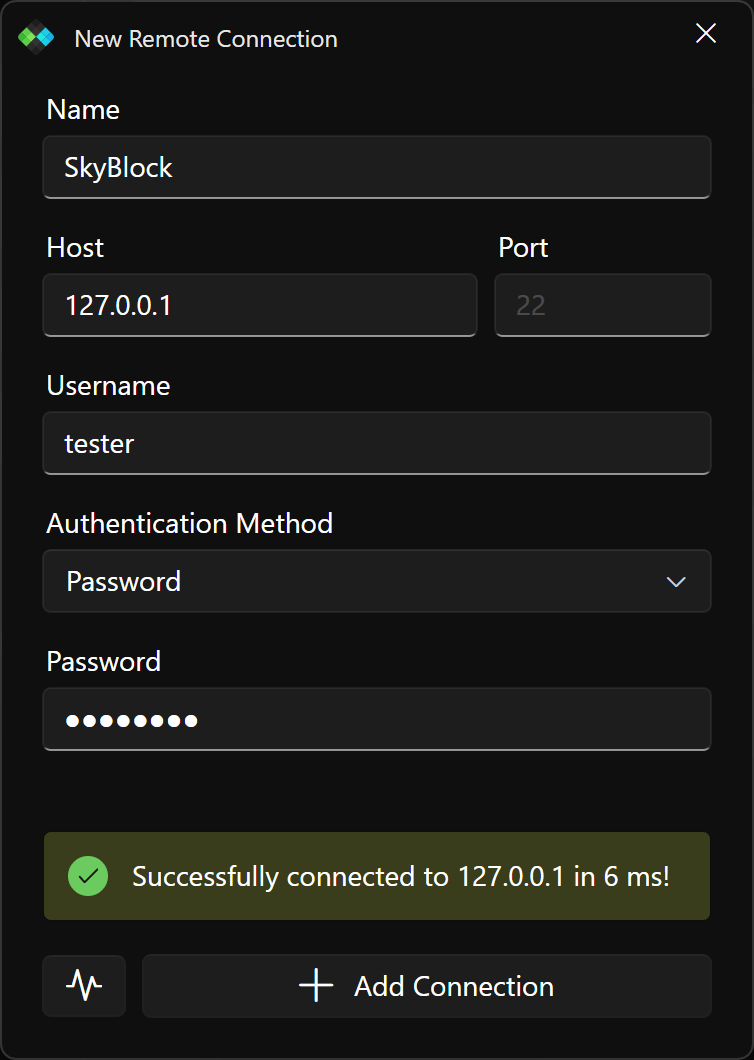
The files can be opened, deleted, renamed and created just like the local files!
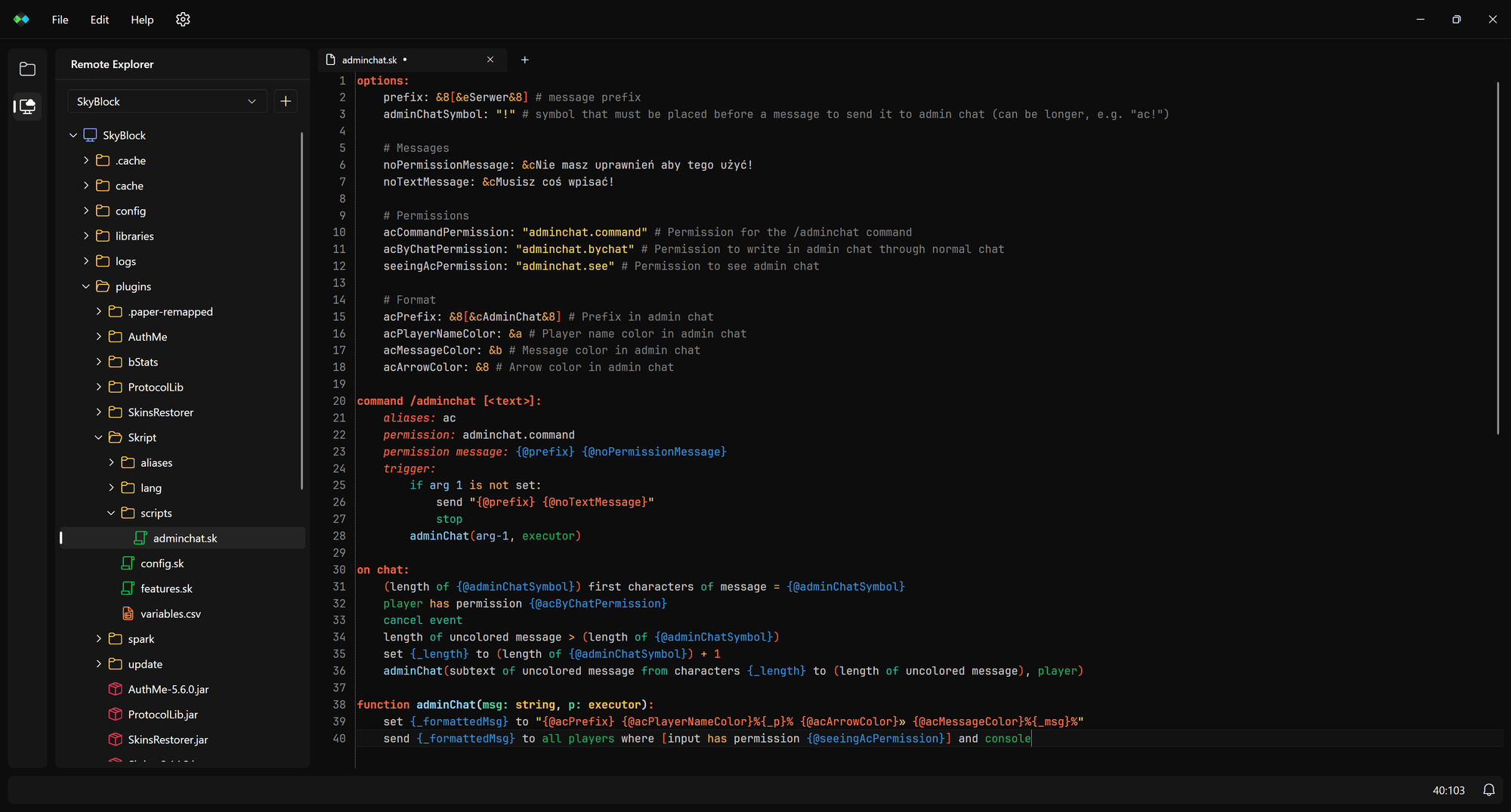
There’s still a lot of work to do. For example, both local and remote explorers lack the refresh functionality (an automatic one for local, and manual “Refresh” buttons for SFTP).
The second thing is that you can’t manage the remote connections in-app. Yeah, you can add them, but you can’t edit or delete them.
Both of these issues will be resolved soon.
Color Preview Feature
While there was a “hex preview” experimental feature before, it now returns as “Color Preview” feature (also as an experiment for now). Both named, legacy and hex colors have tiny squares next to them. When clicked, you can change the colors easily!
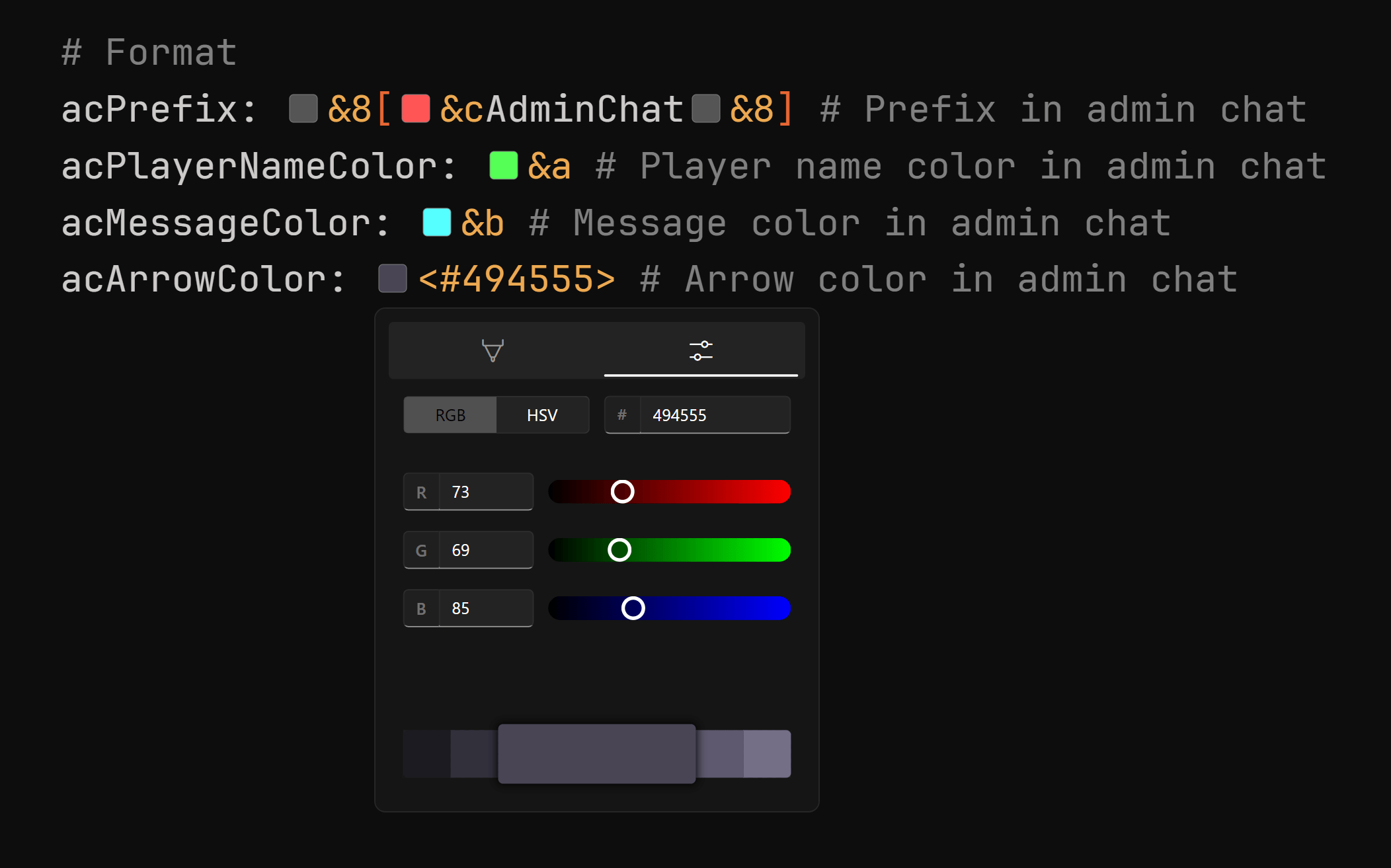
That was something I added out of curiosity about the topic of custom editor elements; any suggestions about features like this are welcome!
TextMate
The syntax highlighting uses the new TextMate format. For Skript, that means:
- The multi-line comments are finally supported.
- “TODO” comments are highlighted.
- Function calls and function definitions are highlighted.
This also allowed me to introduce out-of-the-box syntax support for 50 other languages! You can now open JSON, YAML, C#, Java, PowerShell and tons of different file types in SkEditor, and they will have a nice highlighting!
What it doesn’t mean for now:
- There’s no SkDoc. The SkDoc comment highlighting itself is there, but the entire system isn’t implemented.
- You can’t change syntax themes for the other languages. Even more; you can’t even customize the Skript syntax grammar or theme.
Editing Features
While I said that most of the editing features will be missing, the situation has changed. I added two features, which in my opinion are the most important:
- Auto-Indent, which automatically increases the indentation if the previous line ends with a colon
- Smart Auto-Pairing, that is an improved version of the old Auto-Pairing feature. It automatically pairs brackets and quotes, smartly wraps selected text, handles jumping over the closing character and allows quick pair deletion.
The Auto-Indent Paste feature is currently missing as I’ll be revisiting the entire indentation system in SkEditor.
Localization
Languages switched their format from XAML to JSON. For now, it still has a flat structure.
The entire system in the codebase is sooo much better. It uses a source generator to generate an enum for all the keys, so they aren’t magic strings anymore.
Please, do NOT make translations for now. Until I have proper tools, this would be a pain to maintain during the pre-release phase (a lot of things aren’t even translatable yet, and I need to rename many of the existing keys).
Performance
Everything should be a bit faster now. The most noticeable improvement is startup time; it runs instantly!
That’s because SkEditor now uses the AOT compilation, which basically means it’s a fully native executable now.
There are two consequences of this approach:
- You don’t need to have .NET 10 installed. Yeah, .NET 10: that’s what SkEditor uses now. But until it is AOT-compiled, you don’t need to have it.
- It just can’t support addons in the current form. Loading a
.dlladdon uses a thing called reflection, which practically doesn’t exist in AOT where everything is pre-compiled. There’s currently no addon API anyway, but if I wanna add it, I’d need to release a separate package that isn’t AOT-compiled.
Ending thoughts
SkEditor 3.0 will be a huge step forward, but it requires a lot of smaller steps to get there.
This pre-release is a minimum I wanted to give you. I think it’s actually pretty usable, except one thing…
The Analyzer.
As you should know from the previous post, it will be a built into SkEditor. It is too much work, so I didn’t want to postpone the entire pre-release because of this.
We’ll do our best to release a build with it included soon.
Feedback!
Feedback will be crucial during that phase. Especially QoL suggestions and small changes that can drastically improve the overall experience.
There is a dedicated category on Discord where you can chat about pre-releases, report bugs and share your suggestions.
See you on the Discord!
PS.
This blog post and the build were meant to go out on Monday, and when that slipped, the plan was to release it much earlier today. The post took far longer than expected, and then I ran into issues with the build. I even discovered today that the app crashed on startup if git wasn’t installed… I’ve resolved those and made some improvements here and there. I didn’t want to delay any further, so here it is, even if it’s pretty late in my timezone.